How to Install and Use Jenny Mod in Minecraft Java & Bedrock (Step-by-Step Guide 2026)
I still remember the first time I tried installing Jenny Mod on the wrong version of Minecraft. The game launched fine, loaded my world, and then — nothing. No Jenny, no NPC, just my regular dirt house and a vague sense of betrayal. After hours of troubleshooting, I finally figured out the version mismatch that almost everyone runs into on their first attempt.
If you found this guide, you are probably at a similar crossroads. Maybe you downloaded a file from a random site, or watched a YouTube video that skipped the essential steps. Either way, I have got you covered. This is the most complete walkthrough for using Jenny Mod in both Java and Bedrock editions — written by someone who has made every mistake so you do not have to.
What Is Jenny Mod, Exactly?
Jenny Mod is a character mod for Minecraft, originally developed by the modder SlipperyTum, that adds a custom NPC named Jenny to your world. She can follow you around, interact with you, accept gifts, and respond to certain player actions. Think of her as a companion character with her own dialogue and behaviors — somewhere between a pet and a quest-giver, depending on how you play.
The mod first appeared around 2021 and quickly spread across modding communities on Reddit, Minecraft forums, and Discord servers. It is not on the official CurseForge or Modrinth platforms due to its adult content themes, which means installation requires a few extra manual steps compared to other mods.
Important note: Jenny Mod contains mature themes and is intended for adult players only. Always download from trusted sources — the-jennymod.com — to avoid malware-laced fake versions that have circulated widely online.
Java vs. Bedrock: Which Version Supports Jenny Mod?
Here is the honest answer that a lot of guides dance around: Jenny Mod was originally built for Java Edition. Full support, regular updates, stable performance — Java is where it was designed to live.
Bedrock Edition support exists but is more limited. There is no official Bedrock port from the original developer. What you will find are community-made add-on conversions that approximate the Java experience. They work, but expect some features to be missing or behaving differently.
Java Edition gets full NPC spawning, complete dialogue and interactions, and requires Forge. Bedrock Edition gets partial NPC spawning, limited dialogue, no Forge requirement, and works on mobile and console. If you have a choice, Java is the better experience every time.
Table 1: Jenny Mod Version Compatibility Chart
| Minecraft Version | Edition | Forge Required | Jenny Mod Compatible | Notes |
|---|---|---|---|---|
| 1.12.2 | Java | Yes (Forge 14.23.x) | Yes | Most stable build |
| 1.16.5 | Java | Yes (Forge 36.x) | Yes | Recommended version |
| 1.18.2 | Java | Yes | No | Not supported |
| 1.19.x | Java | Yes | No | Not supported |
| 1.20.x | Java | Yes | No | Not supported |
| 1.21.x | Java | Yes | No | Not supported |
| Windows 10/11 | Bedrock | No | Partial (Add-on) | Limited features |
| Android | Bedrock | No | Partial (Add-on) | Works via file manager |
| iOS | Bedrock | No | Partial (Add-on) | Works via Files app |
| Xbox / PlayStation | Bedrock | No | Limited | Needs PC setup first |
| Nintendo Switch | Bedrock | No | No | Not compatible |
How to Install Jenny Mod on Java Edition
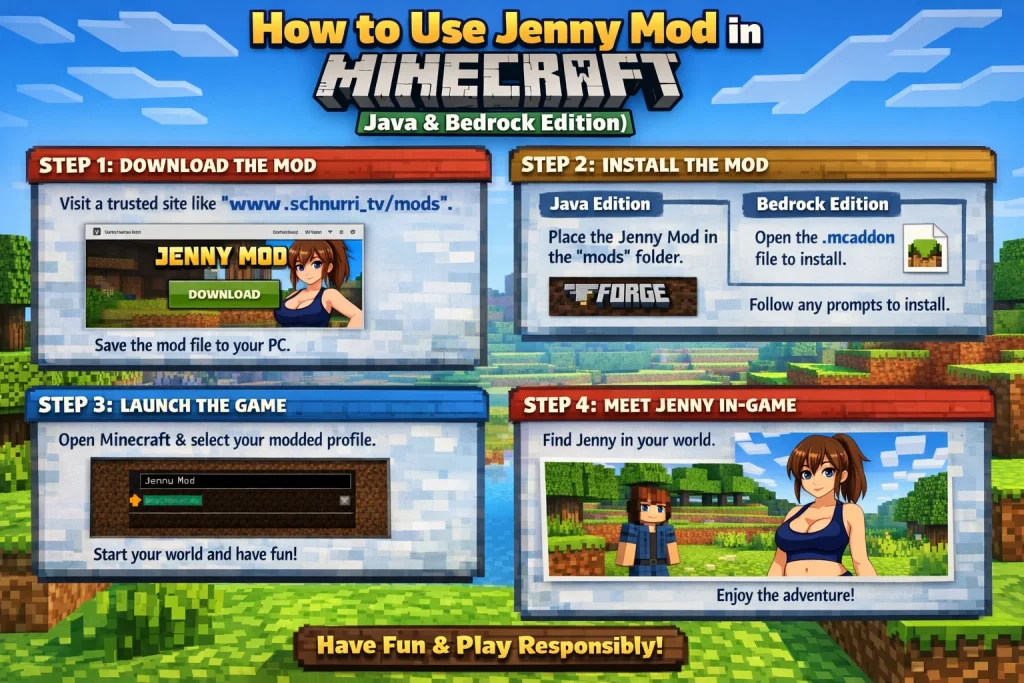
Java Edition installation is the gold standard. Follow these steps carefully and you will have Jenny in your world within about ten minutes.
Step 1: Check your Minecraft version
Jenny Mod requires Minecraft Java Edition 1.12.2 or 1.16.5. Open your Minecraft launcher and check the version shown at the bottom left. Most stable Jenny mod builds target these two versions specifically. Using 1.20 or higher will not work with the current build.
Step 2: Install Minecraft Forge
Jenny Mod runs on Forge, the most widely used modding framework for Java Edition. Download the Forge installer that matches your Minecraft version from the official Forge site. Run the installer, select “Install client,” and let it complete. Visit files.minecraftforge.net, download the installer for 1.12.2 or 1.16.5, run the .jar installer file (you need Java installed for this), choose “Install client” and click OK, then open the Minecraft Launcher where a new Forge profile will appear automatically. Launch Minecraft once with Forge to generate the mods folder.
Step 3: Download the Jenny Mod file
Download the Jenny Mod .jar file from the-jennymod.com. Do not use third-party mirror sites. Multiple fake versions circulate online — some bundled with adware, some that just flat-out do not work. The file you want is a single .jar file, usually named something like JennyMod-1.16.5.jar.
Step 4: Place the file in your mods folder
Navigate to your Minecraft directory. On Windows, press Win + R and type %appdata%.minecraft. On Mac, open Finder, press Cmd+Shift+G, and type ~/Library/Application Support/minecraft. Drop the Jenny Mod .jar into the mods folder.
Step 5: Launch and spawn Jenny
Start Minecraft using the Forge profile in your launcher. Once in your world, open the chat with T and type /summon jenny or use a Jenny spawn egg if one appears in your creative inventory. She should appear near you within a few seconds.
Common mistake: If Jenny does not spawn, you are likely running the wrong Forge version for your mod file. Always match the Forge installer version to the exact Minecraft version the mod was built for.
How to Use Jenny Mod on Bedrock Edition
Bedrock Edition uses add-ons instead of mods, which changes the installation process significantly. The community-built Jenny add-on for Bedrock packages Jenny as a custom entity using the Behavior Pack and Resource Pack system built into Minecraft Bedrock.
Download the Jenny Bedrock add-on — you will get two files: a .mcaddon or separate .mcpack files for behavior and resources. On Windows 10/11, double-click the .mcaddon file and Minecraft Bedrock will import it automatically. On Android, open the file with Minecraft or move it to Android/data/com.mojang.minecraftpe/files/games/com.mojang. On iOS, use the Files app to share the .mcaddon to Minecraft. Create or open a world, go to Add-Ons in world settings, and enable both the Behavior Pack and Resource Pack. Spawn Jenny using a spawn egg from the creative inventory or with the summon command.
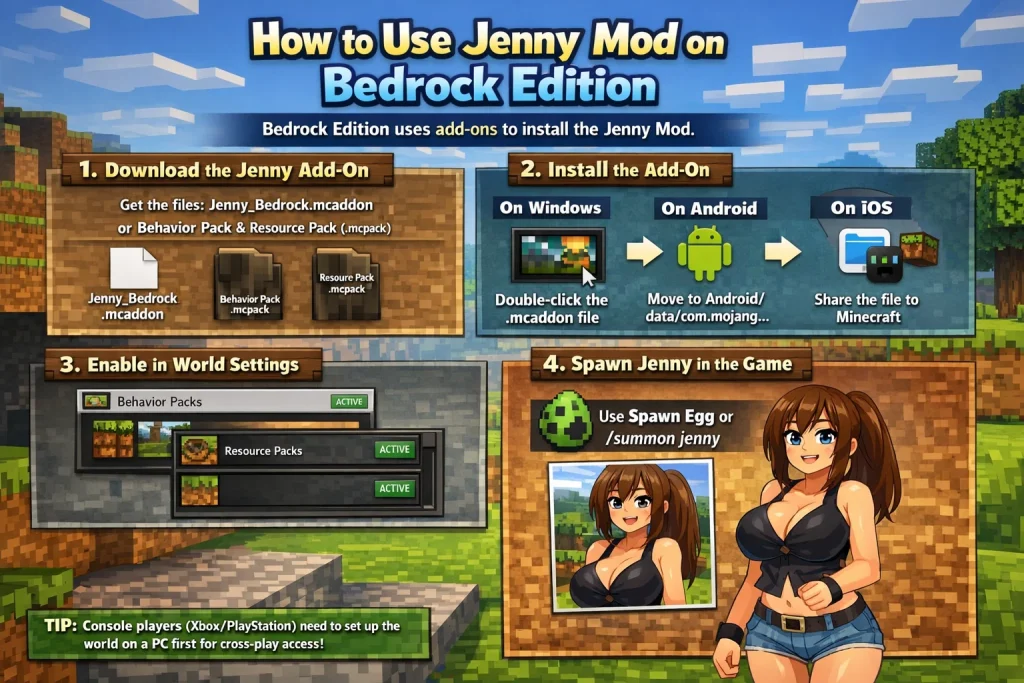
Console players on Xbox or PlayStation running Bedrock can also use this method if the world is set up on a PC first and then accessed through cross-play — though in-game add-on access on consoles is more restricted without a PC involved in the setup.
Interacting With Jenny: What You Can Actually Do
Once Jenny is in your world, right-clicking her opens an interaction menu. From here you can give her gifts — diamonds and emeralds are her favorites and will raise her happiness meter. You can ask her to follow you, stay in place, or explore on her own. Her dialogue changes depending on how long you have spent with her and what you have given her.
One thing I will say honestly: the interaction system is simple compared to something like a full RPG companion mod. Do not come in expecting Mass Effect-level dialogue trees. What makes Jenny interesting is the personality the modder built into her animations and responses — small details that make her feel more alive than a standard Minecraft NPC.
Frequently Asked Questions
Is Jenny Mod safe to download?
Does Jenny Mod work on Minecraft 1.20 or 1.21?
Can I use Jenny Mod on a multiplayer server?
Why is Jenny invisible after spawning?
Do I need OptiFine to run Jenny Mod?
Final Thoughts
Jenny Mod is one of those mods that divides opinion online, but there is no denying it has built a genuinely loyal community over the past few years. The installation is slightly more involved than your average Forge mod precisely because it lives outside the mainstream modding platforms — but once it is running, it works reliably.
If you are on Java Edition, use Forge 1.16.5 and follow the steps above. If you are on Bedrock, the add-on route is your best option and works well on both Windows and mobile. Either way, the mod is worth the fifteen minutes it takes to get set up properly.
Have questions about a specific step? Leave a comment below or visit the-jennymod.com for the latest downloads and support guides.