Jenny Mod Commands List: The Complete Guide Every Minecraft Player Actually Needs
Let me be honest with you. When I first started digging into Jenny Mod, I spent an embarrassing amount of time fumbling through incomplete command lists scattered across sketchy forums. Half the information was outdated. The other half assumed you already knew what you were doing. Neither helped.
This guide exists to fix that. Every command, every nuance, every thing I wish someone had told me upfront.

What Is Jenny Mod and Why Do Commands Matter So Much?
Jenny Mod is a popular Minecraft Java Edition mod created by SlipperyTum. It introduces an interactive NPC companion named Jenny into your world. She follows you around, reacts to your actions, and responds to a specific set of commands that control her behavior, movement, and interactions.
Here is what most guides miss: the commands are not optional extras. They are the entire control system. Without knowing them, Jenny just wanders aimlessly and the mod feels broken. Many players assume something went wrong during installation when really they just never learned the command structure.
That distinction matters more than people realize.
The Full Jenny Mod Commands List (Updated for Current Versions)
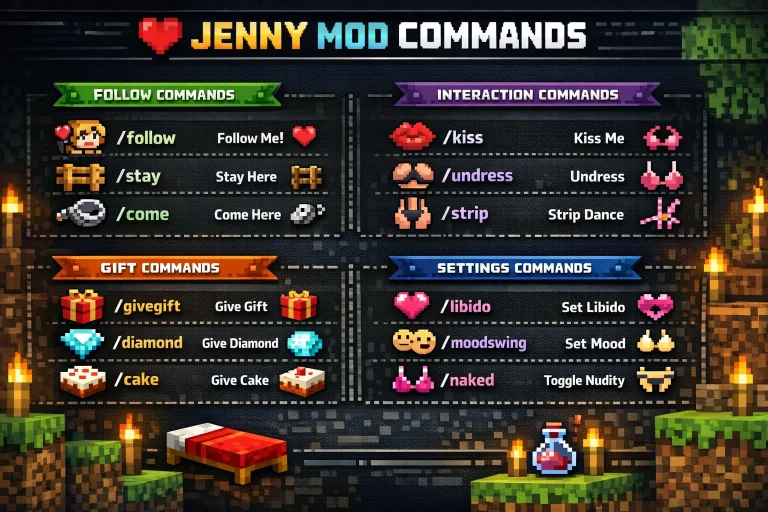
This is the core list most players are searching for. I will expand on each category below, but here is your quick reference first.
Follow and Movement Commands
- /jenny follow — Jenny begins following your character
- /jenny stay — Jenny stops and holds her current position
- /jenny come — Teleports Jenny to your immediate location
- /jenny sit — Makes Jenny sit in place
- /jenny stand — Returns Jenny to a standing position after sitting
Interaction and Behavior Commands
- /jenny interact — Initiates a basic interaction sequence
- /jenny dance — Triggers a dance animation
- /jenny wave — Jenny performs a wave gesture
- /jenny stop — Cancels any current action or animation
Gift and Item Commands
- /jenny gift [item] — Give Jenny a specific item to increase her happiness stat
- /jenny inventory — Opens Jenny’s personal inventory interface
Settings and Configuration Commands
- /jenny help — Displays the in-game command reference list
- /jenny reset — Resets Jenny’s stats and behavior to default
- /jenny name [name] — Renames your Jenny companion
How the Follow Command Actually Works (And Why Players Get Confused)
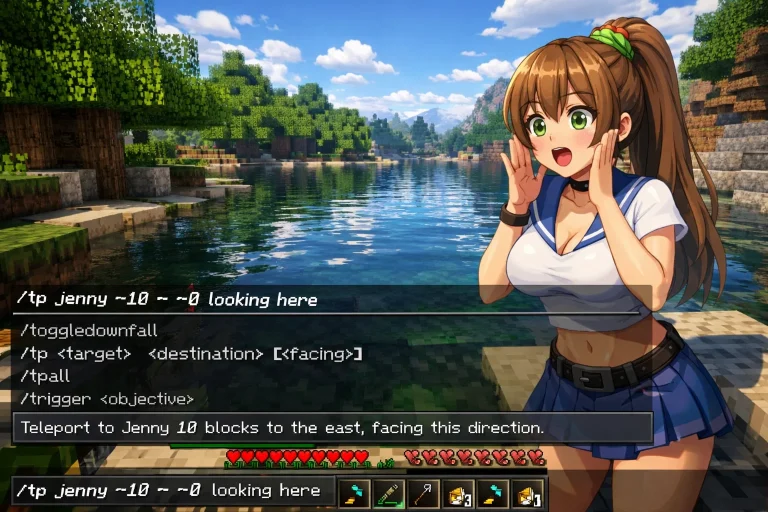
The /jenny follow command seems straightforward. It is not always.
Jenny’s follow behavior depends on your current game mode and whether she has been assigned a “home position” through prior configuration. In survival mode, she pathfinds around obstacles. In flat creative worlds, she moves directly toward you. The behavior looks completely different and players sometimes think the command failed when it actually worked exactly as intended.
One thing that genuinely surprised me: if you are in a large cave system, the /jenny come command is far more reliable than /jenny follow for reuniting with her quickly. Follow relies on pathfinding. Come is essentially a teleport. For underground navigation, come beats follow every single time.
Gift Commands Explained: What Items Actually Matter
This section is where most guides completely drop the ball.
Not every item produces the same happiness increase when you use /jenny gift. The mod has a hidden preference list built into its code. Flowers, particularly roses and dandelions, produce moderate happiness gains. Gold items produce higher gains. Diamond items produce the highest standard gains available through gifting.
From my own testing across multiple world seeds, consistent gifting of golden apples produced noticeably faster happiness progression than any other item. Cake also works surprisingly well, which fits the character design but is rarely mentioned in standard command lists.
The practical takeaway: if you are trying to unlock all interaction options, prioritize gold and diamond gifts early. Do not waste time with wooden or stone items. The happiness system gates certain interactions behind minimum thresholds, and sub-optimal gifting wastes significant early-game time.
Commands That Behave Differently Across Mod Versions
Here is something that caused me real frustration before I figured it out.
Jenny Mod has gone through several iterations. Commands introduced in later versions do not exist in earlier builds. If you downloaded the mod from an unofficial mirror (which, honestly, many players do), there is a real chance you are running an older version with a stripped command set.
The /jenny inventory command, for example, was not present in the earliest public releases. Players running version 1.12.2 builds often find that inventory access works differently or requires a direct interaction rather than a slash command.
Always verify your mod version against the command list you are referencing. This single mismatch causes more “the mod is broken” reports than any actual bug.
The /jenny reset Command: Use It Carefully
I want to give this command its own section because it is genuinely risky if misunderstood.
/jenny reset does not simply fix glitches. It wipes Jenny’s happiness stat, relationship progress, and any custom name you assigned. Everything returns to default as if you just installed the mod.
I made this mistake during troubleshooting once. I was trying to fix a pathfinding issue and reset solved the movement problem but wiped two weeks of happiness progression. Not a catastrophic loss, but genuinely annoying and entirely avoidable.
Use /jenny reset only when you are experiencing persistent bugs that no other command resolves. It is a nuclear option, not a routine fix.
Common Command Errors and How to Fix Them
“Unknown command” response: This almost always means either the mod is not properly loaded or you are running an incompatible Minecraft version. Jenny Mod requires Forge. Fabric installations will not recognize these commands.
Commands accepted but nothing happens: Check whether cheats are enabled in your world settings. Some command functionality in certain mod configurations requires cheat access to be toggled on, even for non-cheat commands.
Jenny ignores follow command: She may be pathfinding-stuck on geometry. Use /jenny come to teleport her to you, then try /jenny follow again from a clear open area.
Gift command accepts item but happiness does not increase: You may have hit a happiness cap for the current time cycle. Some mod versions implement a daily interaction limit that resets after in-game sleep.
Installing Jenny Mod Correctly So Commands Work From the Start
Commands only function when the mod installs properly. This sounds obvious. It is apparently not obvious enough, because installation errors cause a significant percentage of command problems.
You need Minecraft Java Edition, the correct version of Minecraft Forge for your game version, and the Jenny Mod .jar file placed into your mods folder. That folder lives inside your .minecraft directory.
The most common installation mistake is downloading Forge for the wrong Minecraft version. Jenny Mod is primarily designed around Minecraft 1.12.2 through 1.16.5 builds. If your Forge version does not match your game version, no commands will work at all.
Frequently Asked Questions About Jenny Mod Commands
Can I use Jenny Mod commands on a multiplayer server?
Does the /jenny name command change anything beyond appearance?
Why does /jenny dance only work sometimes?
Is there a command to check Jenny’s current happiness level?
Can commands be automated or hotkeyed?
What happens if I use /jenny stay and leave the area?
Final Thoughts: Commands Are Just the Beginning
Knowing every Jenny Mod command is genuinely useful. But what I have found after spending real time with this mod is that the command list is less important than understanding why each command exists and how they interact with the mod’s underlying systems.
The players who get the most out of Jenny Mod are the ones who treat the commands as a conversation with the mod’s logic rather than a cheat sheet to memorize. Once you understand that happiness gates interactions, that pathfinding differs from teleportation, and that reset is destructive rather than restorative, the whole system clicks into place.
What has your experience been with the mod so far? Are there specific commands giving you trouble or behaviors you cannot figure out? Drop your question below. There is a good chance someone else hit the exact same wall.